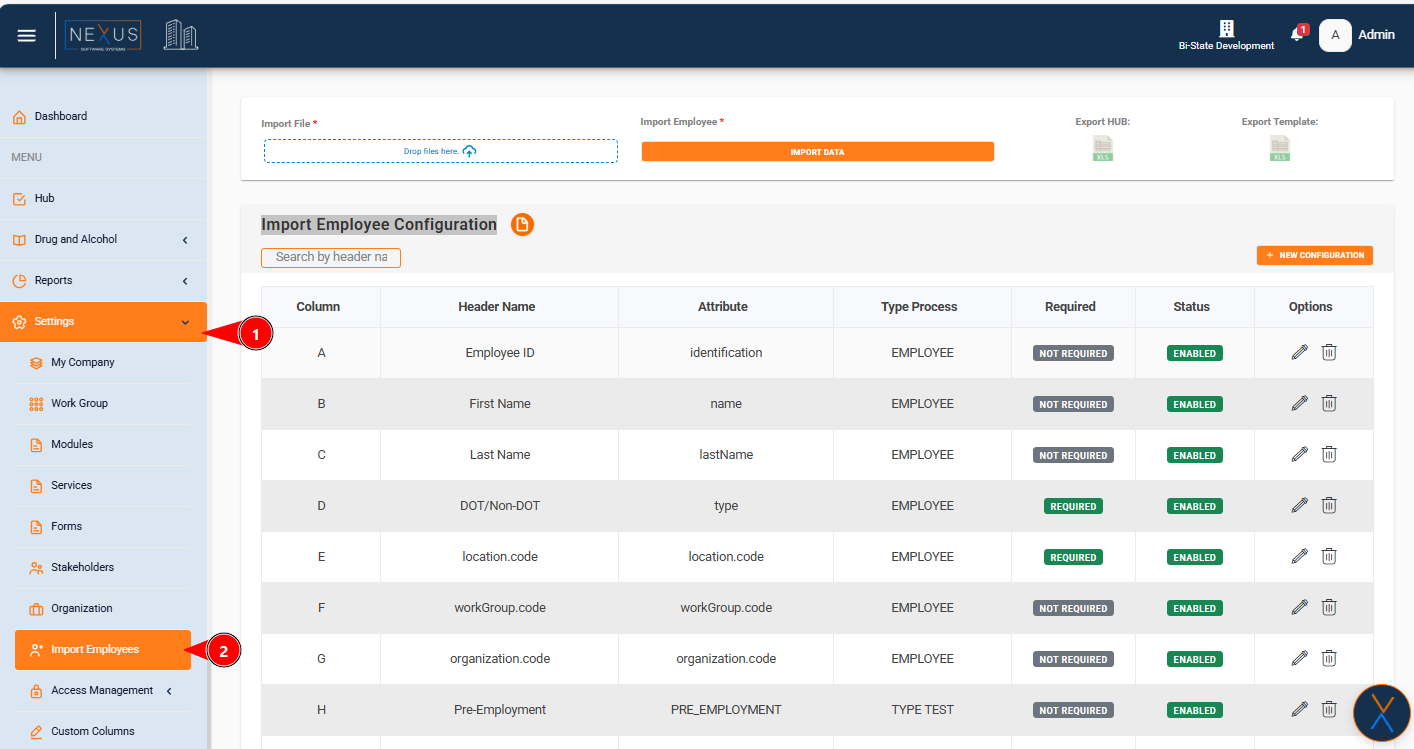
Import Employee Configuration
Overview
The Import Employee Configuration feature allows administrators to configure how employee data is mapped and imported from Excel files. This configuration defines which columns in your Excel file correspond to which employee attributes in the system, ensuring accurate data import.