# Forgot Password
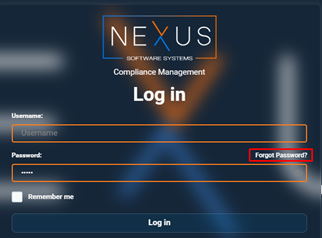
To reset your password, click on the “**Forgot Password**” option.
[](https://wiki.nexus33.com/uploads/images/gallery/2026-01/Krbimage.png)
You will then be redirected to a new window where you will need to enter your **username**.
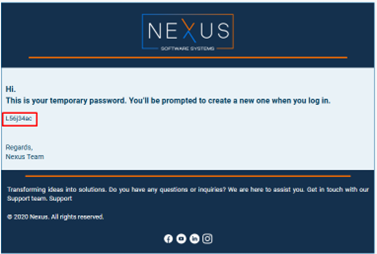
When you click on the “**Send**” button, the system will generate a temporary password, which will be sent to your registered **email address**.
[](https://wiki.nexus33.com/uploads/images/gallery/2026-01/iyQimage.png)
Once you receive the **temporary password**, you must log in with it.
[](https://wiki.nexus33.com/uploads/images/gallery/2026-01/JQIimage.png)
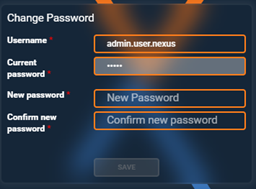
The system will ask you to change the password to a new one.
[](https://wiki.nexus33.com/uploads/images/gallery/2026-01/V02image.png)
After successfully **changing the password**, you will be able to log in again with the new password.