Dashboard
Dashboard

1. Purpose of the Dashboard
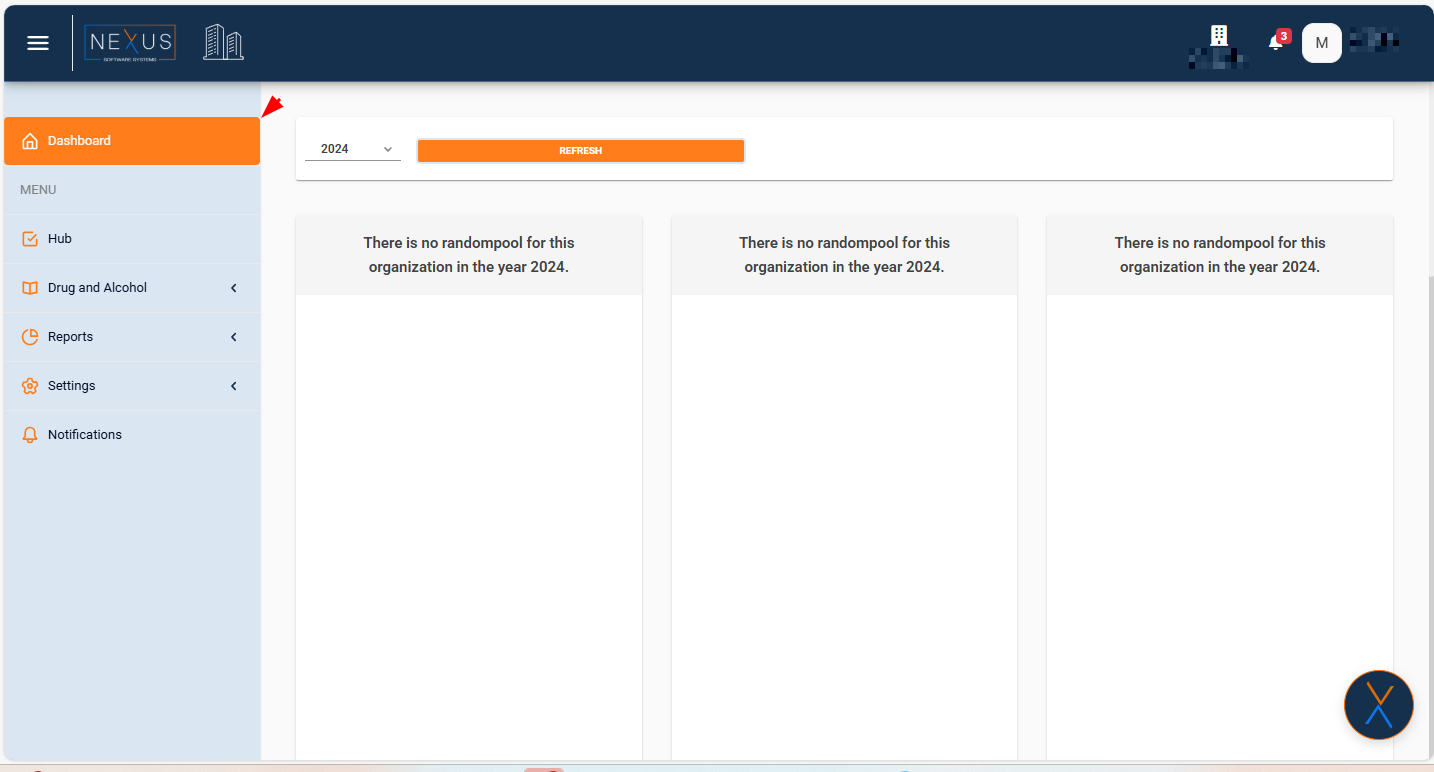
The Dashboard provides a summary of key operational indicators for the selected organization and year. It displays high-level information used for monitoring annual activity.
2. Year Selector
-
A dropdown located at the top of the page.
-
Allows the user to select the target year.
-
All dashboard panels refresh according to the selected year.
3. Refresh Button
-
Updates all displayed data based on the selected year.
-
Ensures the information shown is the most recent available for that organization.
4. Dashboard Panels
The page contains multiple informational panels.
If the organization does not have data for the selected year, each panel displays:
“There is no randompool for this organization in the year YYYY.”
Each panel represents a dataset related to the annual random testing pool or related compliance metrics.
5. Organization Context
-
The Dashboard always reflects the organization currently selected in the top navigation bar.
-
The displayed name and icon identify the active organization.
6. Layout
-
The dashboard displays its panels in a three-column layout.
-
Panels expand vertically depending on available data.
7. No Actions Required
This section only displays information.
The user cannot edit, modify, or interact with the data beyond selecting a year and clicking Refresh.